
| You are viewing documentation for a development version of Marmalade Engine! If you want to view the latest stable version of this document, go here. |
Installing Marmalade
Windows
The installation process for Windows involves the following steps:
-
Download the latest/desired engine installer executable from the the Downloads page of the Marmalade Website.
-
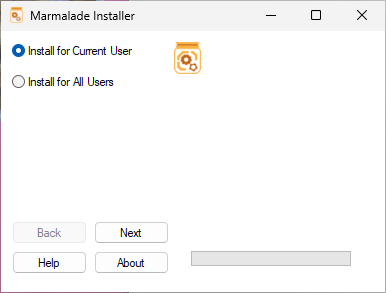
After opening the select which user you want to install Marmalade Engine for. If you are unsure, leave it as default (current user).
-
Next, confirm the path that the engine will be installed at, and select which engine modules you wish to install
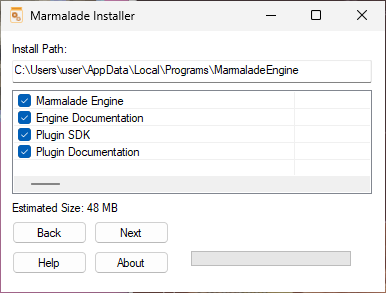
| It is required to have at least the Marmalade Engine module option selected |
-
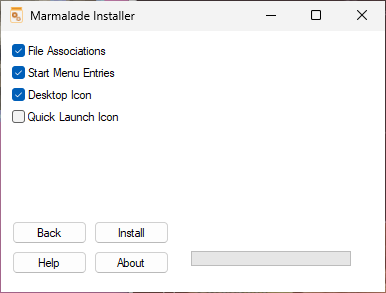
Finally, select the optional choices, it is recommended to keep the default changes.
MacOS
The Installation process for MacOs involves the following steps:
-
Download the latest/desired universal engine installer from the the Downloads page of the Marmalade Website.
-
Execute the universal app
Linux
There are multiple methods for installing the Marmalade Engine on Linux.
AppImage
To install via AppImage, please follow the following steps:
-
Download the latest/desired AppImage from the the Downloads page of the Marmalade Website.
-
In any Terminal, run
chmod +x pathToAppImage -
Then run the AppImage
./pathToAppImageto open the Marmalade Engine